


HP EliteBook X360


Don't like the alternatives? Choose from the full product list
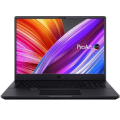


HP EliteBook X360
The compact, convertible HP EliteBook tablet pc is extremely comfortable to handle and saves the valuable desk space in stand mode and the touchscreen turns it into a very powerful tablet. The HP EliteBook X360 (1J6L4EA) boasts smartly configured parameters that make it ideal for the most demanding users who require maximum performance. This power and speed is packed into a compact body designed for travel. The hybrid is equipped with a hexa-core Intel Core i7 processor - one of the most powerful processors available. For your files there is SSD that speeds up the entire system. The tablet PC is also equipped with a backlit keyboard for easier night time work. A fast fingerprint reader ensures excellent data security.
Key Features of the 13.3" HP EliteBook X360 Compact PC Tablet
- Flip over the keyboard and you can use it as a tablet
- HP EliteBook PC tablet is equipped with a 13.3" touchscreen display
- IPS panel technology with Full HD resolution
- Intel Core i7 10710U Comet Lake processor
- 512GB SSD capacity
- HP EliteBook X360 Tablet PC (1J6L4EA) is equipped with 16 GB of RAM
- Keyboard backlighting for easy night time work
- Fast and secure login thanks to the built-in fingerprint reader
- The hybrid's camera supports Windows Hello facial recognition for easy log in
- Includes a USB-C charging connector
- Connect online anywhere with the integrated 4G/LTE modem
- Classy and luxurious silver chassis colour
- Maximum weight up to 1.21kg
- HP dimensions: 307.5 × 16.1 × 205mm
HP EliteBook X360 Tablet PC and Practical 2-in-1 Solution
The amazing touchscreen of the HP PC tablet makes your work much easier if you use it as a classic laptop. You can use it to zoom in on content, quickly scroll through documents, or employ gesture control. The 2-in-1 design means the tablet PC model HP EliteBook has a completely flippable keyboard. Buying the laptop also gives you a robust tablet, with a number of connectors and inputs on the keyboard part. This practical construction is great for watching movies, with the keyboard serving as a stand. The model is also suitable for making quick sketches. Another practical feature worth mentioning is that the HP EliteBook X360 tablet PC lets you use a stylus you will really appreciate in creative work or even simply taking notes. The touchscreen display also fully utilises the Windows Ink potential and all its apps for fast and clean work.
What Processor and SSD Storage Solution Does the HP EliteBook X360 Offer?
This tablet PC is equipped with a hexa-core Intel Core i7 10710U Comet Lake processor with a clock speed of 1.8GHz. In Turbo Boost mode, the processor clock speed reaches 3.9 GHz. For quick and easy work, there is DDR4 RAM with an extraordinary capacity of 16GB. The model is equipped with a lightning-fast SSD. SSDs don't have any mechanical parts and excel in speed and reliability. The model features much welcome efficient USB-C charging.
HP (1J6L4EA) Graphics Card and Display
The HP EliteBook X360 is equipped with a 13.3" touch display with 1920 × 1080 px Full HD resolution, presently the most widely supported resolution on the market that provides a sharp and detailed picture. The tablet's matte screen gives you excellent readability under bright light with no glare. The IPS technology provides exceptional picture quality. It is characterised by very good viewing angles and is popular for its colour accuracy. The touchscreen display of the of the HP PC tablet has a refresh rate of 60 Hz. The screen luminosity reaches a solid 400 Nits. Another advantage of the display is stylus support, which you will appreciate if you are into creative work. The graphics card is integrated into the processor and suitable for lightweight computer tasks.
HP EliteBook Connectors and Other Technologies
The tablet PC has Bluetooth v5.0 technology for wireless connection with other electronics. The network module uses WiFi 6 technology. If you want to hook up some external monitors, the PC tablet has the HP EliteBook X360 interface HDMI and USB-C. You will also find the obligatory, 2× USB 3.2 Gen 1 (USB 3.0) USB interface that allow you to connect many other accessories. The popular USB-C connector, is represented by 2× and even serves for tablet charging. A less common but very welcome addition is the Thunderbolt connector. The HP EliteBook is also equipped with a 3.5mm jack that allows you to hook up a pair of speakers or headphones. One great advantages of this laptop is a 4G/LTE modem, saving you the trouble of searching for WiFi signal. Both photographers and ordinary users will appreciate the built-in memory card reader. A necessary feature is also the webcam, with a working resolution of 1080 px.

Specifications
AI
Display
Processor
Memory
Graphics card
GPU series/model
Operating system
Hard drive
Equipment
Battery
Construction
Weight
Interface
Dimensions
Keyboard layout
Product series
Warranty

HP Inc Czech Republic s.r.o Za Brumlovkou 5/1559 140 00 Praha 4 VAT ID: CZ 03208427 Radek Mattas, [email protected]"
GO Europe GmbH, Zum Kraftwerk 1, Hattingen 45527, Germany, +49232468010, [email protected]
Hewlett-Packard was founded in the difficult times of the Great Depression. The founders were a pair of friends whose name the company still proudly bears. They started their business in an unobtrusive garage near the city of Palo Alto. It is now a national monument. HP’s success lay not in copying existing products, but in the ability and courage to come up with something new.
The first commercial triumph was an oscillator that surpassed all competition in quality, yet sold at a quarter of the price. In 1968, HP released their first desktop computer - a desktop calculator. The company currently manufactures products primarily related to computer technology - computers and laptops, printers, scanners, digital cameras, servers, and last but not least, calculators.
- Information about displayed capacity in Windows operating system.
- Details of endurance when running on battery.
- More information about installation media and the possibilities of operating system recovery.
- 2-in-1 configuration is fixed, they cannot be edited in any way. It is only possible to change memory or hard drives, while the original components are stored for possible future claims.
Specifications can be changed without notice. Images are for illustrative purposes only.
