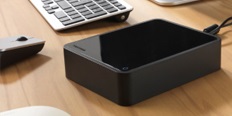
Synology DS223j 229.90 € Unsealed - in stock 1 pcs
Buy
Synology DS223j
Synology DS223j is an almost new item, in perfect condition, and comes with a full warranty. However, someone opened the original packaging before you. Why? It could have been an unwanted gift. For detailed information, click here.
.
The Synology DS223j NAS tower is designed for centralised storage, sharing, and backup of digital files in both home and business environments. The device features two drive bays with a total capacity of up to 28TB. It creates a secureprivate cloud for accessing your datafrom anywhere, at any time, via an internet connection. A 1.7GHz quad-core Realtek RTD1619B processor and 1GB of DDR4 RAM ensure the smooth running of multimedia management applications and backup processes.
Key features of the Synology DS223j NAS
Two drive bays with a total capacity of up to 28TB
Quad-core Realtek RTD1619B processor runs at 1.7GHz
Btrfs file system with self-healing and fast snapshot creation
Writes data at up to 113MB/s and reads at up to 112MB/s
1GB of DDR4 RAM
Supports direct synchronisation with public clouds like Google Drive or Dropbox
Power consumption of 16.31W during normal operation
Cooling noise level of 18.2dB
Effective sharing and teamwork
The device supports real-time collaboration for small teams using the Synology Office platform. Users can edit documents, spreadsheets, and presentations together directly in their web browser. The Synology Drivetool simplifies file synchronisation acrossWindows, macOS, Linux, Chromebook, Android, and iOS. Synology Drive ShareSync makes it easy to share data between different office locations by synchronising files and folders across Synology systems.
Connect to public clouds
The Synology Cloud Sync service automatically synchronises data between your private storage and public cloud services. Users can connect the system to platforms like Google Drive, Dropbox, or Microsoft OneDrive. This process maintains local copies of cloud data for quick access without needing an internet connection to external servers.
Advanced Btrfs file system
The storage uses the modern Btrfs file system, which prevents data corruption. The system includes a self-healing function for damaged files and uses fast snapshot technology. Snapshots of the system's state protect datafrom unintentional changes or malware attacks. The Btrfs file system is available from DSM version 7.2-64570 and lets users easily restore files to a previous state if they are accidentally overwritten.
Automatic backup
The Synology Photos and Synology Drive mobile apps automatically back up photos and videos from smartphones and tablets. You can perform a complete backup of the entire operating system, including settings and applications, using the Hyper Backup tool. Users can save backups to multiple destinations, including external drives or remote storage.
Centralised photo and media management
Built-in applications make it easy to organise and browse your stored multimedia files. Smart features automatically sort photos into albums based on facial recognition, geolocation data, or tags. The integrated media server supports streaming content to TVs and other DLNA-certified devices.
Surveillance system
The device can be used as a recorder for surveillance IP cameras in homes or businesses. The system supports video recording, live viewing, and searching through footage. This gives usersfull control over their securitywithout needing to buy dedicated recording equipment. The surveillance system is managed through the provided interface, and recording from IP cameras works within an operating temperature range of 0°C to 40°C.
Package contents: 1× Main unit, 1× Accessory pack, 1× AC power adapter, 1× AC power cord, 1× RJ-45 LAN cable, 1× Quick installation guide
Manufacturer's recommended use - corporate deployments require high transmission speed or a higher number of disks, for home, use just a simpler model.
Defines which maximum capacity of the installed hard disks NAS supports. This value can often be increased by installing the latest version of the device firmware.
Manufacturer's recommended use - corporate deployments require high transmission speed or a higher number of disks, for home, use just a simpler model.
Defines which maximum capacity of the installed hard disks NAS supports. This value can often be increased by installing the latest version of the device firmware.
The system RAM of external data storage devices determines the speed and efficiency of data processing. Higher RAM capacity means better multitasking and faster response times for demanding operations such as streaming media or working with large databases.
Indicates the number of USB 3.0 connectors, which are used to extend the capacity of the device using a flash drive or external drive. USB interface can also be used to connect a printer, which will...
Specifications can be changed without notice. Images are for illustrative purposes only.
Dobrý den, jestli tomu správně rozumím, tak prostřednictvím tohoto NAS zařízení, si mohu zálohovat data z mobilu? Například i když nebudu doma?
Děkuji, Tomáš
Dobrý den, jestli tomu správně rozumím, tak prostřednictvím tohoto NAS zařízení, si mohu zálohovat data z mobilu? Například i když nebudu doma?
Děkuji, Tomáš
dobrý deň, kúpil som tento disk https://www.alza.sk/wd-red-plus-4-tb-d7587417.htm ale zjavne není kompatibilný, neni nijaká šanca ho v tomto nasku rozbehať trebárs aktualizácia FW alebo softwaru ďakujem
dobrý deň, kúpil som tento disk https://www.alza.sk/wd-red-plus-4-tb-d7587417.htm ale zjavne není kompatibilný, neni nijaká šanca ho v tomto nasku rozbehať trebárs aktualizácia FW alebo softwaru ďakujem
Má někdo prosím zkušenosti s osazením 2,5" diku do 3,5" rámečku do NAS Synology DS223j? Pomoci "L" adaptéru? U jiných modelů je to výsovně napsané, u DS223j ne. dekuji
Má někdo prosím zkušenosti s osazením 2,5" diku do 3,5" rámečku do NAS Synology DS223j? Pomoci "L" adaptéru? U jiných modelů je to výsovně napsané, u DS223j ne. dekuji
Může mi někdo vysvětlit když v popisu a tím pádem v možnostech vyhledávání nemá tento NAS cloud server, přičemž na oficiálních stránkách píšou že má zabezpečený soukromý cloud? Jaký je v tom rozdíl? Potřebuji aby se mi automaticky synchronizovali data z mobilu a z notebooku kdykoliv a odkudkoliv ihned když je mám připojené k internetu přímo do tohoto NAS, aniž bych potřeboval platit pevnou IP adresu.
Může mi někdo vysvětlit když v popisu a tím pádem v možnostech vyhledávání nemá tento NAS cloud server, přičemž na oficiálních stránkách píšou že má zabezpečený soukromý cloud? Jaký je v tom rozdíl? Potřebuji aby se mi automaticky synchronizovali data z mobilu a z notebooku kdykoliv a odkudkoliv ihned když je mám připojené k internetu přímo do tohoto NAS, aniž bych potřeboval platit pevnou IP adresu.
Dobrý den,
hledám nějaký NAS, který by sloužil jako můj archiv filmů ... a nic víc.
Prostě jen databanka na filmy které můžu pouštět v projektoru!
Každopádně tam ale mám dost filmů ve 4k UHD, které už jsou náročnější na přehrání/HW.
Takže můj dotaz zní, který NAS bez disku, ty si pořídím zvlášť, by byl vhodný aniž bych za něj musel dát třeba 12.ooo kč?
Díky
Dobrý den,
hledám nějaký NAS, který by sloužil jako můj archiv filmů ... a nic víc.
Prostě jen databanka na filmy které můžu pouštět v projektoru!
Každopádně tam ale mám dost filmů ve 4k UHD, které už jsou náročnější na přehrání/HW.
Takže můj dotaz zní, který NAS bez disku, ty si pořídím zvlášť, by byl vhodný aniž bych za něj musel dát třeba 12.ooo kč?
Díky
Dobrý den, rád bych se zeptal, zda je možné do USB na tomto NAS zapojit externí disk (ať už HDD, nebo SSD) a rozšířit tím uložiště. Pokud ano, bude tento disk zformátován, nebo na něm data zůstanou tak jak jsou?
Druhou otázkou je, zda se USB dá využít na propojení s PC a zvýšit tím rychlost přenosu?
Za třetí: je možné, aby byly na NAS připojeny 2 PC zároveň a přistupovaly k jedné složce ve stejném momentu? (např. jeden uživatel nahrává soubory, zatímco druhý je kontroluje) (Nebo aby dokonce oba uživatelé stahovali stejný soubor?)
A poslední dotaz zní: zda je možné kombinovat různé HDD? Např. koupit jeden 4TB disk a v budoucnu přikoupit jen 2TB verzi, nebo disk od jiného výrobce.
Dobrý den, rád bych se zeptal, zda je možné do USB na tomto NAS zapojit externí disk (ať už HDD, nebo SSD) a rozšířit tím uložiště. Pokud ano, bude tento disk zformátován, nebo na něm data zůstanou tak jak jsou?
Druhou otázkou je, zda se USB dá využít na propojení s PC a zvýšit tím rychlost přenosu?
Za třetí: je možné, aby byly na NAS připojeny 2 PC zároveň a přistupovaly k jedné složce ve stejném momentu? (např. jeden uživatel nahrává soubory, zatímco druhý je kontroluje) (Nebo aby dokonce oba uživatelé stahovali stejný soubor?)
A poslední dotaz zní: zda je možné kombinovat různé HDD? Např. koupit jeden 4TB disk a v budoucnu přikoupit jen 2TB verzi, nebo disk od jiného výrobce.
Try our cookiesAlza.cz a. s., Company identification number 27082440, use cookies and other data to ensure the proper functioning of the website and, with your consent, also, among other things, to personalize advertising and the content of our websites. By clicking on the “I understand“ button, you agree to the use of cookies and the transfer of data regarding the behavior on the website for displaying targeted advertising on social networks and advertising networks on other websites.
We use 8 categories of cookies on our website:
Technical cookies
These are strictly necessary for the functioning of the website and the features you choose to use. Without them, our website would not work; you wouldn't be able to log in to your user account, for example.
Functionality cookies
These cookies allow us to remember your basic choices and improve the user experience. These include remembering your preferred language or allowing you to stay logged in permanently.
Social media cookies
These cookies allow us to easily link you to your social media profile and, for example, allow you to share products and services with your friends and family.
Content personalisation
These cookies allow us to show you content and ads according to the information we have about you to best meet your needs. This includes what content you have viewed, or on what device you are accessing our website.
Non-personalised advertising
These cookies allow us to show you general ads for products and services.
Personalised advertising
Thanks to these cookies, we and our partners can offer you relevant products and services based on your purchases, your shopping behaviour and your preferences.
Audience metrics
These cookies allow us to optimise our site for your convenience based on how you use it. The aim is to remember or anticipate your choices. This includes, for example, the use of features, their location, or the behaviour on the page.
By giving your consent to the processing of cookies, functionality and analytical cookies will be installed on the device you use to browse the website (click on the "I understand" button for both categories, or you can select only one of the categories by clicking on the "Settings" button). We always install technical cookies on your device, even without your explicit consent, because without them our website would simply not work.
You can revoke your consent to the processing of cookies. In connection with our company's cookie processing, you also have the following rights: the right to access cookies, delete, modify, supplement and correct them, restrict processing and the right to lodge a complaint with the Office for Personal Data Protection. Read more about your rights.