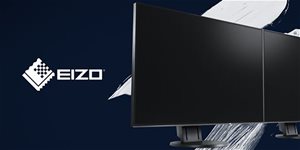
The modern EIZO FlexScan EV2360-WT LCD monitor has been developed to provide the best user experience. Thanks to its size and detachable stand, the monitor is very easy to transport wherever you need it, and it won't take up much space on your desk. The monitor has a 22.5" screen and offers Full HD resolution. The pixel density is 101 DPI, so the EIZO FlexScan EV2360-WToffers a sufficiently sharp image, which is further enhanced by modern technology. The monitor has two built-in 1W speakers and electrostatic buttons for easy control. The monitor's operating power consumption is 11W. If necessary, the LCD monitor can be mounted on the wall using a VESA mount (100×100mm).
23"
Screen Size
1920 × 1200 (WUXGA)
Resolution (Resolution Type)
IPS
Display Type
60 Hz
Refresh Rate
5 ms (GtG)
Response Time
Key Features of the 23" EIZO FlexScan EV2360-WT LCD Monitor
The monitor offers a 23" screen size with full Full HD resolution (1920 × 1200)
The IPS panel offers wide viewing angles without colour change
On three sides, the bezel is only 1mm wide – for an extremely compact and exceptionally eye-catching look
The monitor can be mounted on the wall using a 100 × 100 mm VESA mount
The EIZO Flex Scan EV2360-WT is height-adjustable and you can also use the pivot function
Thin bezels allow you to use multiple monitors side by side
Electrostatic controls on the front of the EIZO monitor
Automatic brightness adjustment, FlickerFree and blue light reduction functions
Extended 5-year warranty
USB 3.1 hub with one upstream connector and two downstream connectors
Manufactured with environmental and social responsibility in mind
The EIZO Flex Scan EV2360-WT has a slim and elegant design
The white and very slim design of the EIZO EV2360-WT monitor is perfect for using two of these monitors side by side. The monitor bezel is only 1mm, and there is only a thin 5.4mm border between the display and the bezel. A look at the EIZO FlexScan EV2360-WT shows you just how thin it really is. On the front of the EIZO FlexScan EV2360-WT, there are electrostatic controls, making it easy to adjust everything on the monitor while maintaining maximum elegance. All controls and built-in speakers are directed towards the user.
The EIZO Flex Scan EV2360-WT uses a high-quality IPS panel with low heat emission
The monitor has three key parameters at an excellent level: 1920 × 1200 resolution, 1000:1 contrast, and a stable brightness of up to 250cd/m². In practice, this ensures that all content on the monitor is displayed in detail and with sharpness. The IPS panel with LED backlighting allows you to watch the screen with unchanged contrast and colours even from wide viewing angles. The semi-matte finish of the EIZO FlexScan EV2360-WT display boasts virtually zero glitter. The backlighting system with white LEDs is highly efficient and therefore has low heat emission, which contributes to a longer monitor life and less eye strain.
Perfectly accurate colour management
The EIZO FlexScan EV2360-WT office monitor is equipped with at least a 10-bit LUT (Look-Up-Table), which converts colour information much more accurately than the usual 8-bit LUTs. As a result, the monitor can handle colour gradations and render transitions brilliantly. The EIZO FlexScan EV2360-WT monitor can also be individually adjusted, allowing the white point level to be selected losslessly from 4000K to 10000K in 500K increments. The Overdrive function shortens the response time in such a way that the grey-to-grey transition time is only 5ms on average. As a result, you will see fast-changing images on the EIZO EV2360-WT monitor without the distracting inertia of the light source.
FlickerFree technology and up to 80% blue light reduction
The EIZO FlexScan EV2360-WT office monitor uses HiPWM technology to adjust brightness. It controls the light flux of the backlight system's LEDs by pulse width modulation, which operates at a high frequency in the order of tens of kHz, so there is no image flicker even when the screen brightness is reduced by the user to a minimum of 1cd/m² (for working in low night light). The image of the EIZO EV2360-WT will continue to look completely calm and clean. In the evening, the user can also select the "PAPER" mode to significantly reduce (by up to 80%) the blue spectrum emitted by the EIZO monitor's backlighting system by adjusting the monitor's white point below 5000K. At the same time, the contrast of the monitor is automatically adjusted to better match the contrast ratios of light reflected from paper, which is very pleasing to the eyes.
The monitor automatically adjusts the brightness value
The EIZO FlexScan EV2360-WT uses an automatic LED backlight control system, which saves electricity. Another benefit of this control is a stable and flicker-free image. The brightness value of the EIZO FlexScan EV2360-WT monitor can be adjusted from 1cd/m² up to the maximum value of 250cd/m². The monitor can thus be used in environments with limited daylight and for night-time operation. To change the automatic brightness adjustment of the monitor, a unique optimised control with a non-linear characteristic is used, thanks to which the EIZO FlexScan EV2360-WT monitor can better react to changes in the light in the monitor's surroundings.
An environmentally friendly monitor
As the EIZO FlexScan EV2360-WT monitor uses the latest technology, it can save up to 40% of energy in normal operation. The typical power consumption of the EIZO EV2360-WT is 11W. To ensure that the monitor does not draw any electricity, you can switch it off mechanically thanks to the built-in mains switch. Its consumption will then be zero. If you leave the EIZO FlexScan EV2360-WT in Stand-by mode, its consumption is around 0.5W.
Photo viewing
The colour range of the monitor is close to the sRGB IEC61966-2.1 standard, so the EIZO FlexScan EV2360-WT can correctly display colour photos with the sRGB colour range right out of the box, without the need to calibrate the monitor and create its exact colour profile. Displaying sRGB images is correct even in browsers without colour management support (without CMS), i.e. also in internet browsers or other applications that were not originally intended for colour photo reproduction.
EIZO's flexible stand ensures excellent ergonomics
The EIZO FlexScan EV2360-WT monitor has a flexible stand that makes handling the 23" panel as easy and comfortable as possible. The stand allows height adjustment up to 140mm, so you can easily adjust it to the optimal position. The EIZO FlexScan EV2360-WT can also be rotated 344° and tilted up to +35° or -5°.
The monitor boasts a rich array of connectors
For seamless connection of modern computers to the EIZO FlexScan EV2360-WT monitor, there are 10-bit DP (DisplayPort) and HDMI inputs, which are also capable of processing not only encoded RGB but also YCbCr data up to 1920 × 1200 resolution at 60 frames per second. If you want to use the monitor to watch content via satellite or TV, you will be pleased with the support for YCbCr 1080p/50Hz, 1080p/60Hz (4:4:4 or 4:2:2) video format on the HDMI input. To connect external devices, you will be able to use two USB 3.1 ports, which can also be used to charge smartphones and tablets with a current load of up to 2A. The USB-B and USB-C Up-Stream ports have an integrated KVM function for sharing a single keyboard and mouse between two connected computers. Other peripherals connected to the EIZO FlexScan EV2360-WT's USB hub can also be shared.
Screen InStyle software makes work easier
Thanks to this handy software, you can assign a preset video mode to any application you use. So when you open the selected application, the EIZO FlexScan EV2360-WT monitor will adapt to your settings, ensuring you have the most comfortable working and user experience. Screen InStyle allows you to define "hot keys" to switch input video signals directly from the keyboard, define the white point for "Paper" mode, or synchronise brightness changes on multiple monitors simultaneously with a single control.
Zero tolerance for defective pixels
EIZO guarantees zero tolerance for defective pixels or sub-pixels. If defective pixels/sub-pixels are found within six months of the date of sale, the user has the right to request a replacement or a significant discount on the purchased monitor. Thanks to the high quality of all components used in the manufacture of the monitor, this model is covered by a 5-year manufacturer's warranty (including a warranty on the LCD panel and its backlighting system).
Additional technical information for the EIZO FlexScan EV2360-WT LCD monitor
Connectors:
1× DP 1.2a with HDCP encoded video signal support
1× HDMI 1.3 with HDCP encoded video signal support
Determines how accurately the monitor can display colours. sRGB is ideal for web, movies or games. DCI-P3/Adobe RGB is appreciated by graphic designers or professionals. The higher the value, the better the monitor displays colours.
Maximum Brightness
Given in nits or cd/m², this value determines the brightness of the monitor. A brightness above 400 nits is key for HDR content and readability in sunlight, while standard office monitors are fine with values above 250.
Refresh Rate and Response Time
Refresh rate (Hz) determines the number of frames displayed per second, so the higher the value, the smoother the picture and the less eye strain. A lower response time (ms) eliminates motion blur. 144Hz+ is ideal for gaming, while values around 75Hz are suitable for office monitors.
Denotes the distance between the lower left and upper right corner of the screen. It is quoted in inches,while 1 "= 2.54 cm. How big a diagonal measurement to choose with which device and what are the benefitsand the disadvantages?
Monitor resolution refers to the number of pixels on the monitor screen, expressed as width × height. Higher resolutions provide a more detailed and clearer image, while lower resolutions may be suitable for smaller monitors or to save power.
Denotes the distance between the lower left and upper right corner of the screen. It is quoted in inches,while 1 "= 2.54 cm. How big a diagonal measurement to choose with which device and what are the benefitsand the disadvantages?
Monitor resolution refers to the number of pixels on the monitor screen, expressed as width × height. Higher resolutions provide a more detailed and clearer image, while lower resolutions may be suitable for smaller monitors or to save power.
The monitor connection type refers to the interface that is used to transmit the video signal from the source (e.g. computer) to the monitor. Different connection types support different resolutions and refresh rates and can affect the quality and performance of the display on the monitor.
The sRGB colour coverage of a monitor is a measure of how much of the range of colours defined in the sRGB (Standard Red Green Blue) standard the monitor is able to display. A higher percentage of sRGB coverage means that the monitor can display a wider and richer range of colors.
Try our cookiesAlza.cz a. s., Company identification number 27082440, use cookies and other data to ensure the proper functioning of the website and, with your consent, also, among other things, to personalize advertising and the content of our websites. By clicking on the “I understand“ button, you agree to the use of cookies and the transfer of data regarding the behavior on the website for displaying targeted advertising on social networks and advertising networks on other websites.
We use 8 categories of cookies on our website:
Technical cookies
These are strictly necessary for the functioning of the website and the features you choose to use. Without them, our website would not work; you wouldn't be able to log in to your user account, for example.
Functionality cookies
These cookies allow us to remember your basic choices and improve the user experience. These include remembering your preferred language or allowing you to stay logged in permanently.
Social media cookies
These cookies allow us to easily link you to your social media profile and, for example, allow you to share products and services with your friends and family.
Content personalisation
These cookies allow us to show you content and ads according to the information we have about you to best meet your needs. This includes what content you have viewed, or on what device you are accessing our website.
Non-personalised advertising
These cookies allow us to show you general ads for products and services.
Personalised advertising
Thanks to these cookies, we and our partners can offer you relevant products and services based on your purchases, your shopping behaviour and your preferences.
Audience metrics
These cookies allow us to optimise our site for your convenience based on how you use it. The aim is to remember or anticipate your choices. This includes, for example, the use of features, their location, or the behaviour on the page.
By giving your consent to the processing of cookies, functionality and analytical cookies will be installed on the device you use to browse the website (click on the "I understand" button for both categories, or you can select only one of the categories by clicking on the "Settings" button). We always install technical cookies on your device, even without your explicit consent, because without them our website would simply not work.
You can revoke your consent to the processing of cookies. In connection with our company's cookie processing, you also have the following rights: the right to access cookies, delete, modify, supplement and correct them, restrict processing and the right to lodge a complaint with the Office for Personal Data Protection. Read more about your rights.